![logo_horizontal_negative_v2_help_center-3.png]](https://help.doinn.co/hs-fs/hubfs/logo_horizontal_negative_v2_help_center-3.png?width=140&height=63&name=logo_horizontal_negative_v2_help_center-3.png)
Enhanced automation creation experience
We’ve improved the automation creation process to make setup clearer and more flexible:
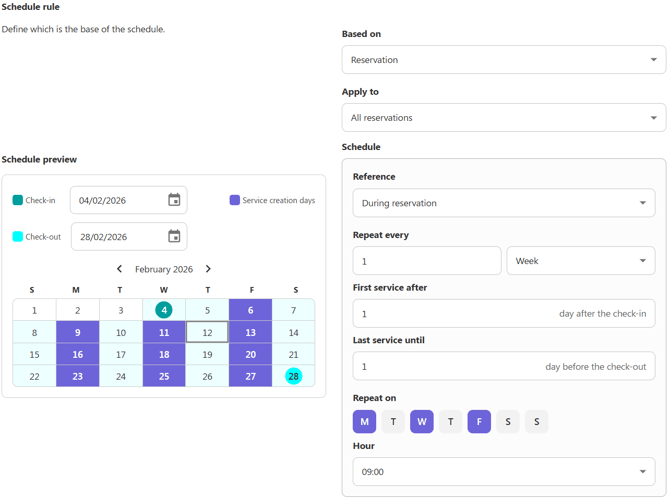
- A new calendar preview makes it much easier to see exactly when services will be created.
- Reservation-based automations have been redesigned to cover all “First service” scenarios.
Catalogue services changes history
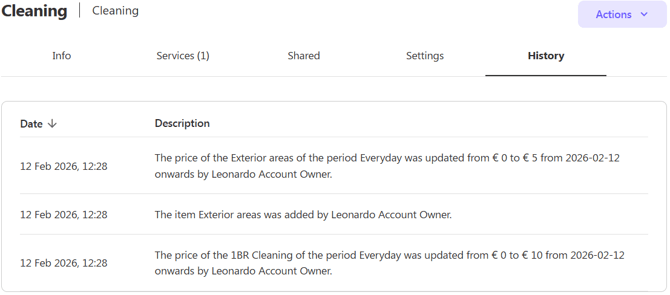
Now all services changes are recorded on the catalogue history.
Team shift clock visualization
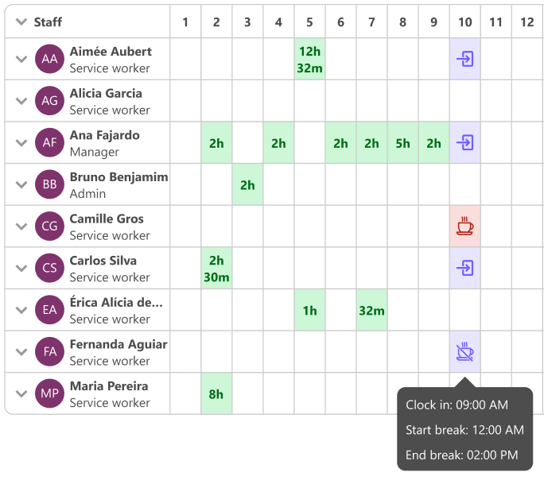
You can now view all team shifts, including clock-ins, clock-outs, and break start/end times, directly in the Staff / Timesheets section.
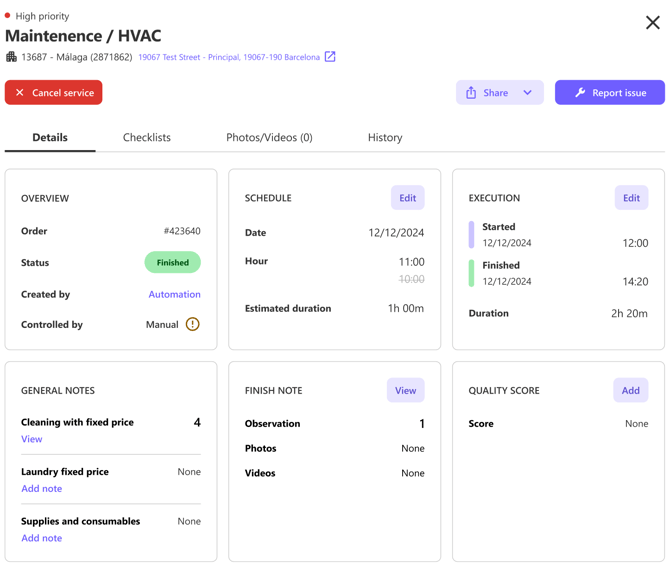
Redesigned service details page
The service details page has been redesigned to provide users with clearer, more comprehensive service information.
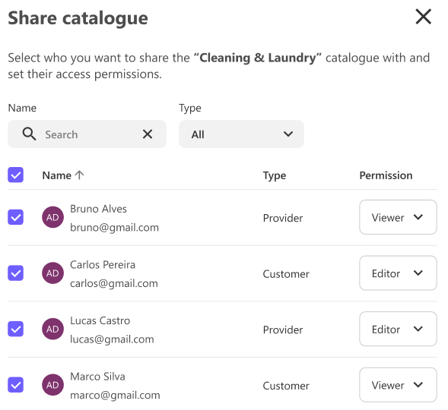
Select all customers or providers in the share catalogue
You can now select all customers or all providers in the share catalogue list at once, without having to choose them one by one.
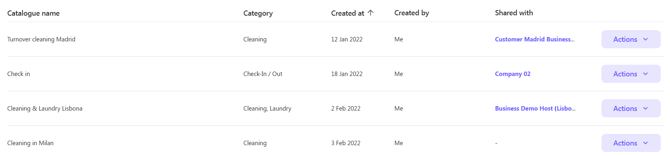
Catalogue list sort fixes
Sorting by “Catalogue name” has been fixed. You can now also sort the list by the “Category” and “Created at” columns.
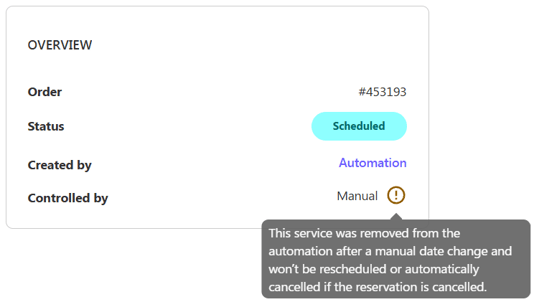
Services removed from an automation
You can now clearly see when a service has been removed from an automation after you manually change its date, cancel it, or respond to a pending date-change request. The automation itself will continue to run, but it will no longer create services for that specific date.
Property tabs redesign
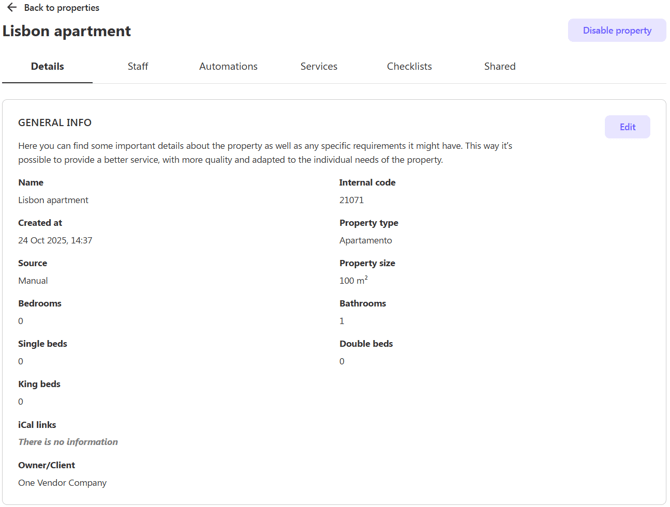
The “Property info” and “Settings” tabs have been combined into a single tab called “Details”.
Property shared section redesign
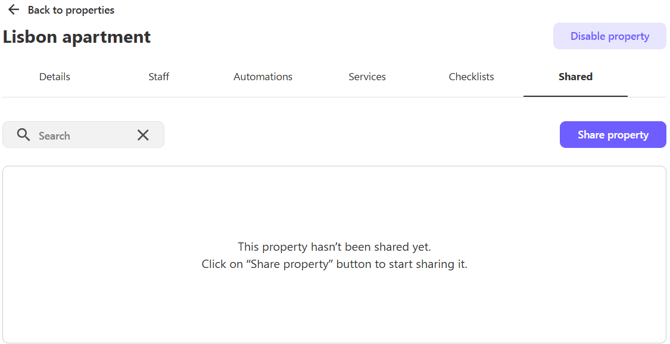
The Property Shared section has been redesigned to maintain the same usability as the share catalogue.
Restrict media uploads on checklist items
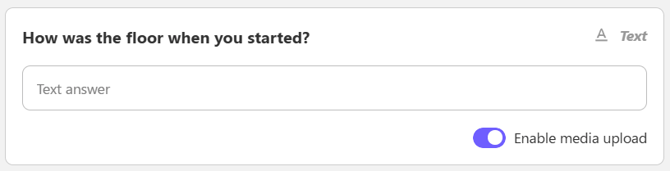
You can now disable the new “Enable media upload” setting to prevent media from being uploaded to checklist items.
Video compression and background uploads in the app
Videos are now compressed before being uploaded in the background, improving the overall performance of the Doinn app.
Worker push notification when assigned to an issue
The worker receives a push notification whenever an issue is assigned to them.
New colors to issues status
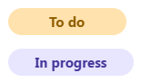
The colors for the “To do” and “In progress” issue statuses have been updated to ensure consistent service standards.