![logo_horizontal_negative_v2_help_center-3.png]](https://help.doinn.co/hs-fs/hubfs/logo_horizontal_negative_v2_help_center-3.png?width=140&height=63&name=logo_horizontal_negative_v2_help_center-3.png)
Last Updated: January 9 2024
Applies to: All registered users
To change your bank details this is the procedure to follow.
1. From the user menu, select Subscription an billing
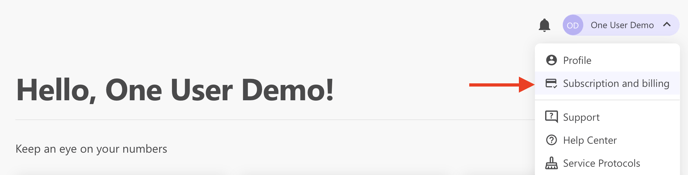
2. Reach the Payments method tab
3. select Change SEPA and update the information. Then, save.
-1.png?width=587&height=435&name=image%20(1)-1.png)
The new valid Sepa is now updated in Doinn.