---
title: Menu - Automatizações
description: Menu - Automatizações
---
[Ignorar para conteúdo](https://help.doinn.co/pt-pt/knowledge/menu-automatizações#main-content)
- [Português - Portugal](https://help.doinn.co/pt-pt/knowledge/menu-automatiza%C3%A7%C3%B5es)
- [Deutsch](https://help.doinn.co/de/knowledge/automatisierungen-menu)
- [English](https://help.doinn.co/en/knowledge/automations-menu)
- [Español](https://help.doinn.co/es/knowledge/automatizaciones-menú)
- [Italiano](https://help.doinn.co/it/knowledge/menu-automazioni)
Português - Portugal
Mostrar submenu para traduções
[Criar ticket de suporte](https://help.doinn.co/pt-pt/knowledge/kb-tickets/new?hsLang=pt-pt)
![logo\_horizontal\_negative\_v2\_help\_center-3.png\]](https://help.doinn.co/hs-fs/hubfs/logo_horizontal_negative_v2_help_center-3.png?height=50&name=logo_horizontal_negative_v2_help_center-3.png)
Abrir navegação principal
Fechar navegação principal
- - [Português - Portugal](https://help.doinn.co/pt-pt/knowledge/menu-automatiza%C3%A7%C3%B5es)
- [Deutsch](https://help.doinn.co/de/knowledge/automatisierungen-menu)
- [English](https://help.doinn.co/en/knowledge/automations-menu)
- [Español](https://help.doinn.co/es/knowledge/automatizaciones-menú)
- [Italiano](https://help.doinn.co/it/knowledge/menu-automazioni)
Português - Portugal
Mostrar submenu para traduções
- [Criar ticket de suporte](https://help.doinn.co/pt-pt/knowledge/kb-tickets/new)
- Contact Us
Contact Us
Olá. Como podemos te ajudar?
- Não existem sugestões porque o campo de pesquisa está vazio.
1. [Centro de ajuda](https://help.doinn.co/pt-pt/knowledge?hsLang=pt-pt)
2. [Como usar a plataforma Doinn](https://help.doinn.co/pt-pt/knowledge/como-usar-a-plataforma-doinn?hsLang=pt-pt)
3. [2. Automatize tarefas - Marcações e envios serviços, Preços](https://help.doinn.co/pt-pt/knowledge/como-usar-a-plataforma-doinn?hsLang=pt-pt#2-automatize-tarefas-marca%C3%A7%C3%B5es-e-envios-servi%C3%A7os-pre%C3%A7os)
6 de maio de 2024
# Menu - Automatizações
## Menu - Automatizações
A automatização é uma ferramenta muito poderosa!
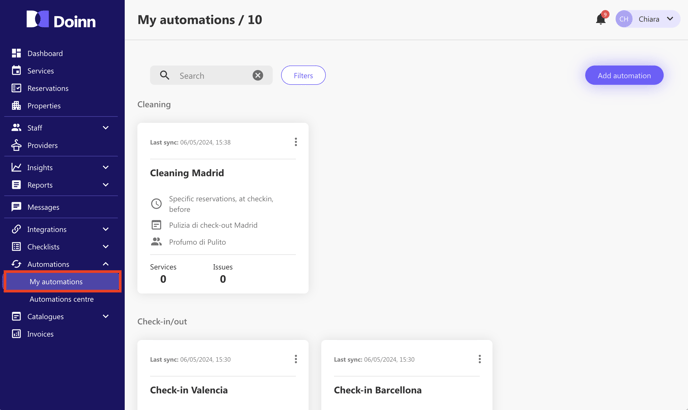
No menu de automatizações, os utilizadores podem fazer o seguinte
1. [Criar automação - Automatizar todos os agendamentos com base na fórmula dos 5 elementos da Doinn (onde, quando, o quê, quem, como)](https://help.doinn.co/en/knowledge/create-automation-automate-all-scheduling-based-in-doinn-5-elements-formula-where-when-what-who-how?hsLang=pt-pt)
2. [Editar, desactivar e eliminar as automatizações, ver servi](https://help.doinn.co/pt-pt/knowledge/menu-automatizações#Edit)[ções, ver problemas](https://help.doinn.co/pt-pt/knowledge/menu-automatizações#Edit)
3. [Filtrar por categoria](https://help.doinn.co/pt-pt/knowledge/menu-automatizações#filter)
---
### 2. As minhas automatizações: Editar, Desativar, Eliminar, Ver servições, Ver problemas
No separador Automações, vemos todas as automações que criámos e associámos às nossas propriedades. Existem algumas ações que podemos realizar clicando nos 3 pontos. Vamos vê-las:
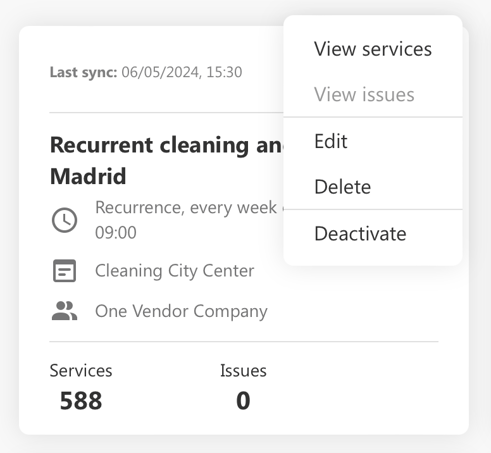
- **Ver servições**
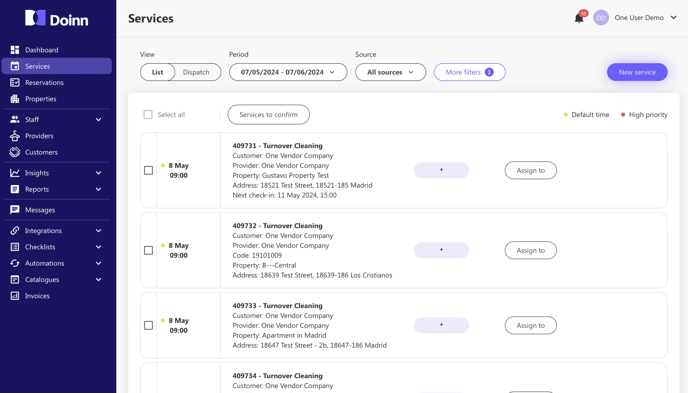
Seleccione esta voz para ver todos os serviços relacionados com esta automatização. Isto conduzi-lo-á ao separador de serviço.
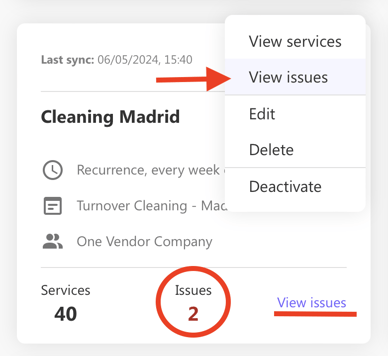
- **Ver problemas**
No caso de alguns problemas, esta voz será selecionável e conduzi-lo-á ao problema.
- **Editar**
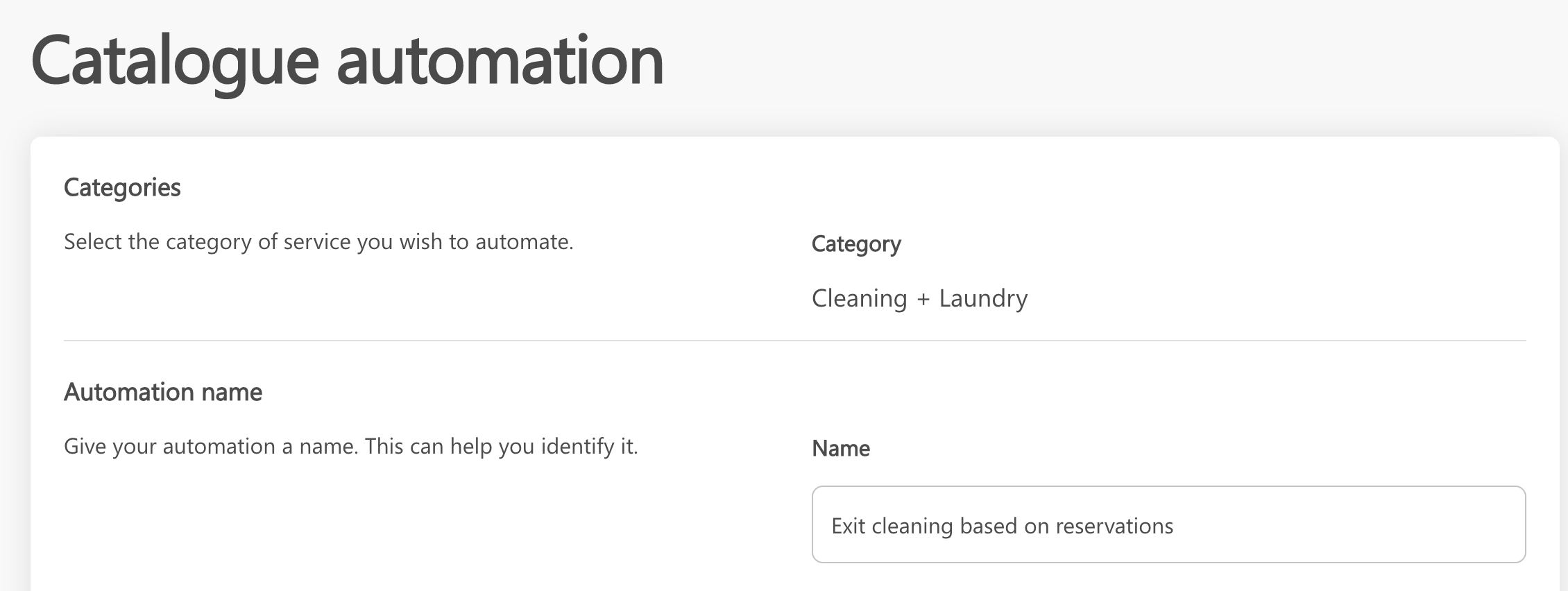
Selecione **Editar** para efetuar as alterações necessárias. Este comando leva-o para as especificações das automatizações, permitindo-lhe realizar acções como
- - Alterar o nome das automatizações
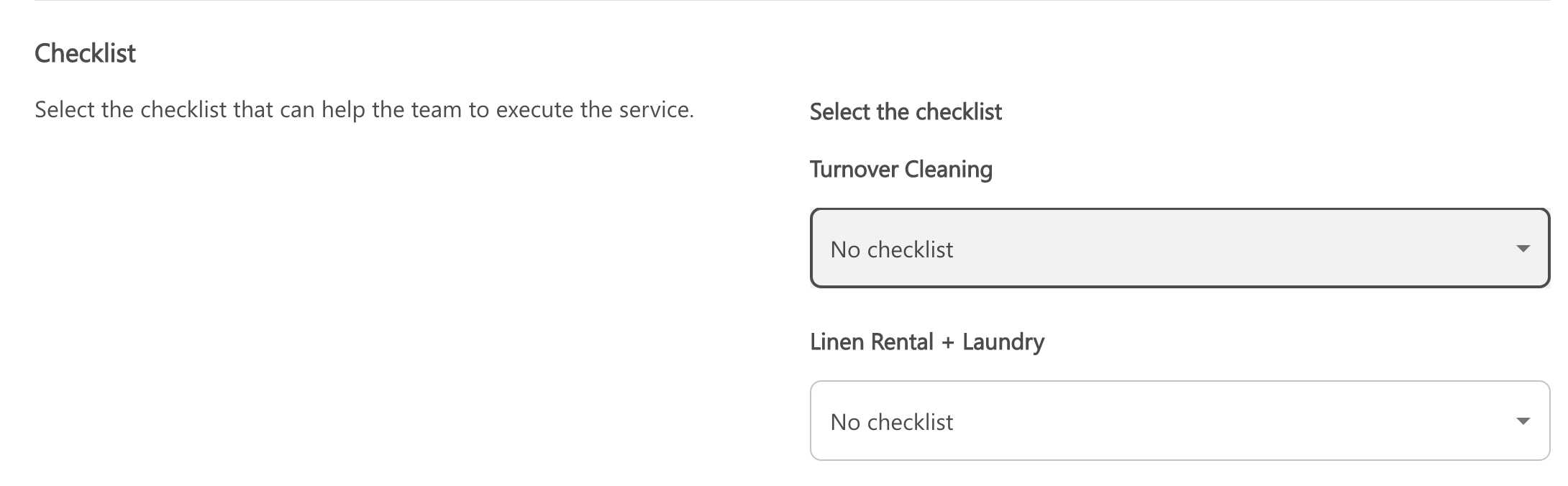
- Alterar/ Adicionar uma checklist ([veja o artigo da checklist aqui](https://help.doinn.co/pt-pt/knowledge/menu-checklists?hsLang=pt-pt))
- Adicionar ou remover propriedades às automatizações

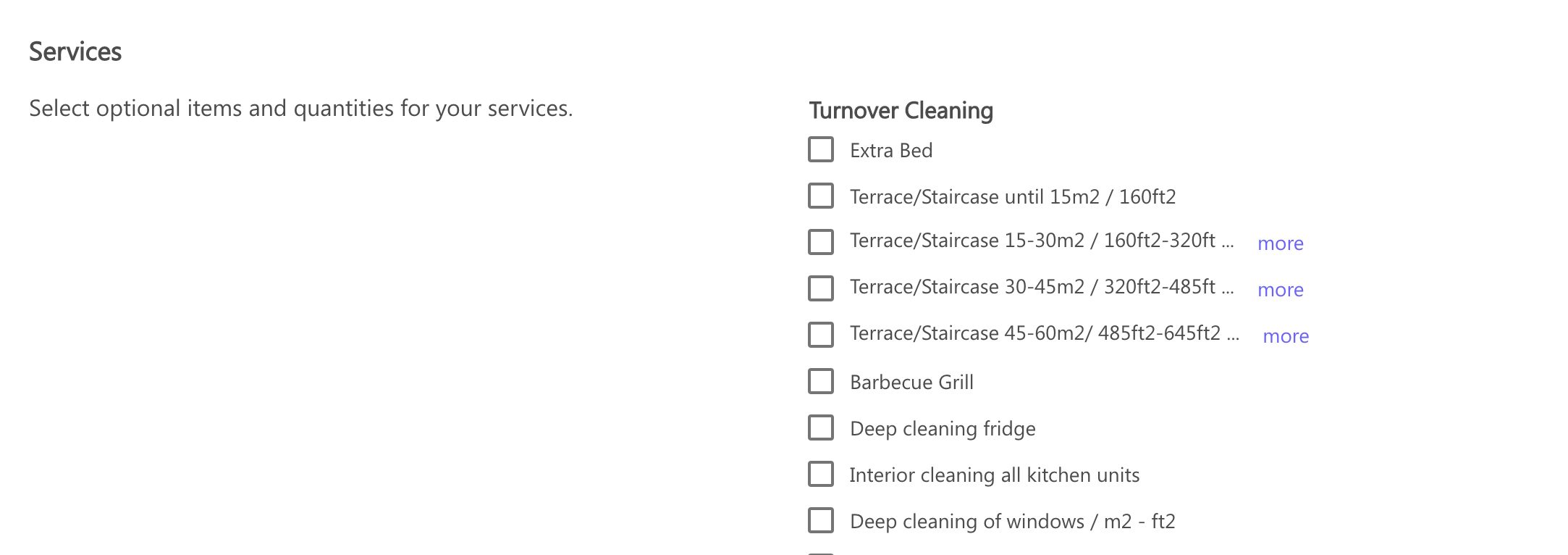
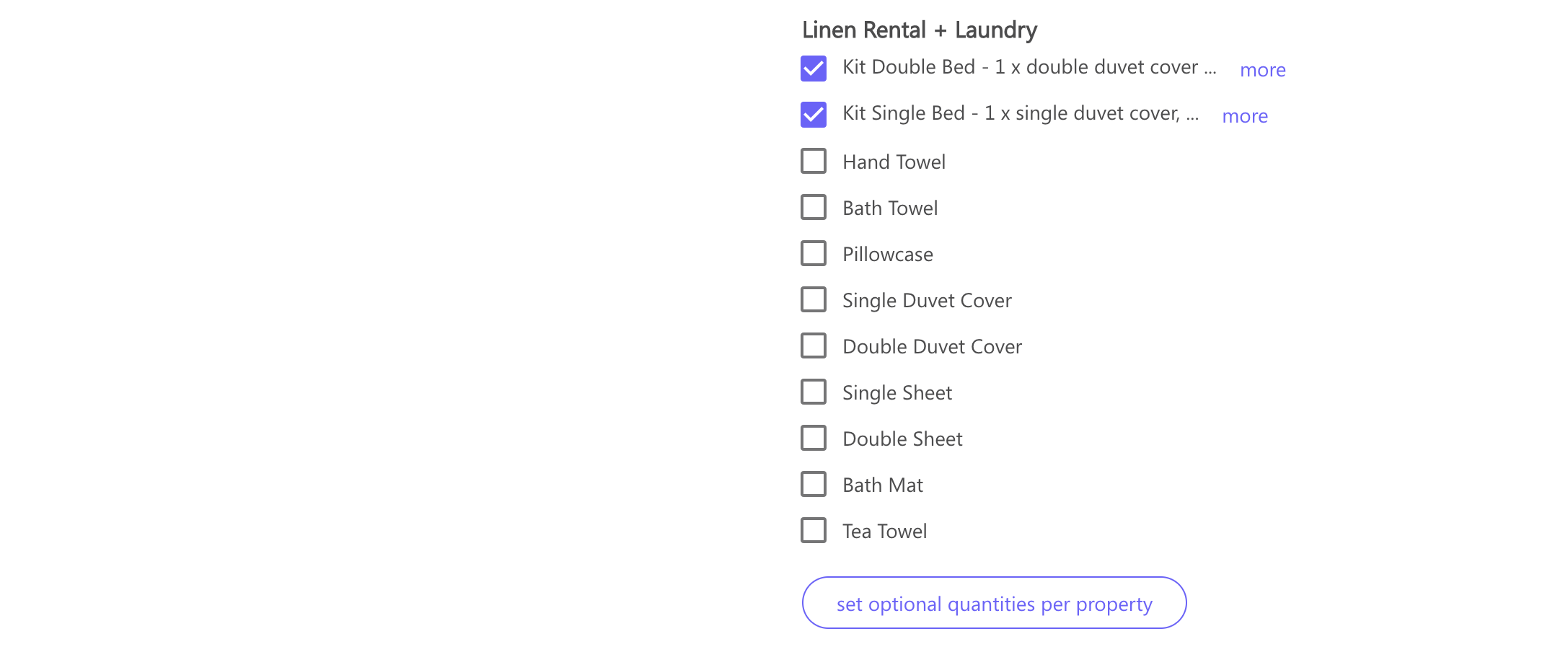
- Atualizar os serviços e as quantidades necessárias
- **Desativar**
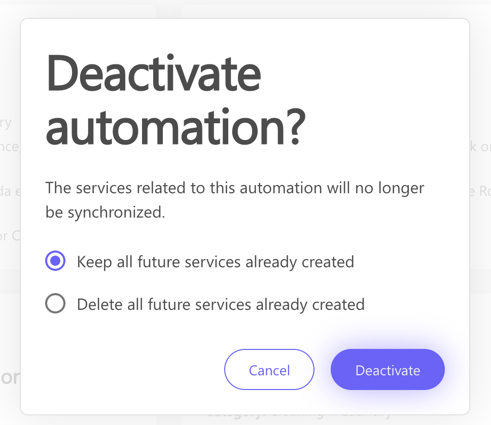
Caso pretenda **desativar uma automatização**, é apresentada uma janela pop-up a perguntar o que fazer.
Pode **desativar a automatização mas manter todos os serviços futuros já criados ou pode eliminá-los todos.**
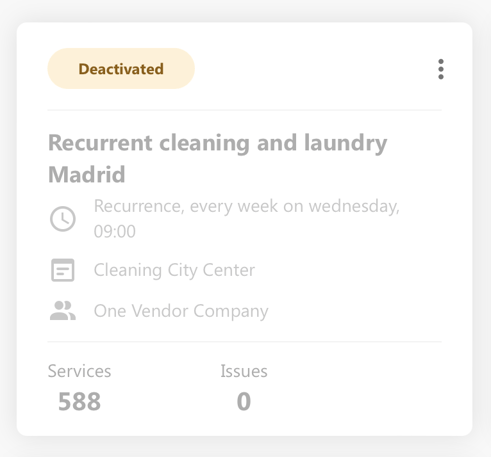
Uma automatização inativa é apresentada da seguinte forma:
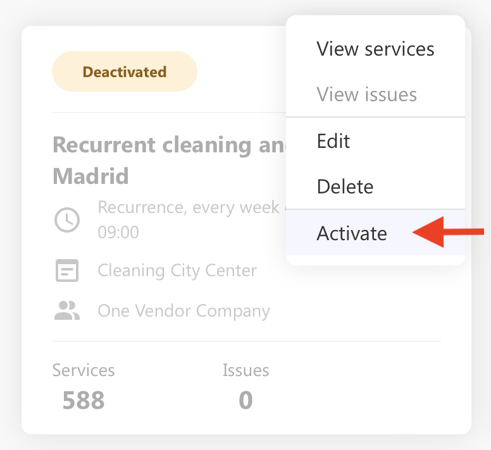
Pode sempre activar novamente uma automatização. Clique nos 3 pontos e seleccione **ativar**
****
- **Eliminar**
Caso pretenda eliminar uma automatização, é apresentada uma janela pop-up a perguntar-lhe o que fazer.
Pode eliminar a automatização mas **manter todos os serviços futuros** já criados ou **pode eliminá-los a todos.**
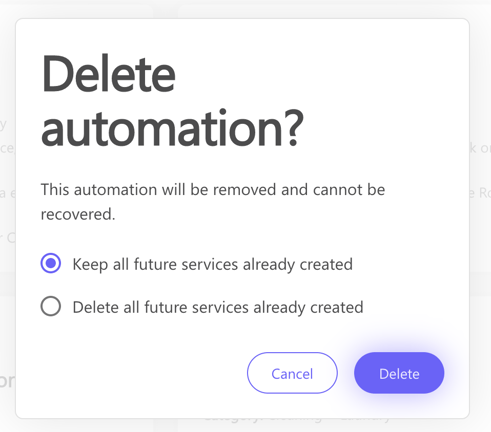
Quando uma automatização é eliminada, deixa de ser visível no seu separador de automatização e não pode ser restaurada.
---
### 3. Filtrar por categoria
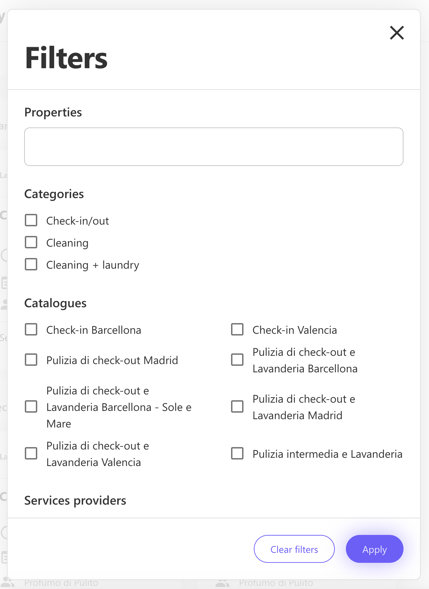
Na parte superior de As **minhas automatizações**, pode deslocar-se entre as suas automatizações utilizando Filtros.
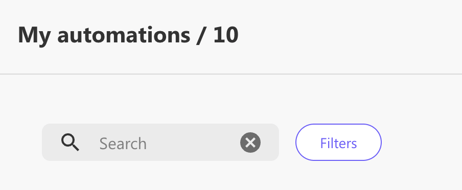
Pode filtrar:
- por Propriedade
- por categoria
- por catálogo
- por prestador de serviços
- [Introdução](https://help.doinn.co/pt-pt/knowledge/introdu%C3%A7%C3%A3o?hsLang=pt-pt#main-content)
- [Configuração Inicial](https://help.doinn.co/pt-pt/knowledge/introdu%C3%A7%C3%A3o?hsLang=pt-pt#configura%C3%A7%C3%A3o-inicial)
- [Como usar a plataforma Doinn](https://help.doinn.co/pt-pt/knowledge/como-usar-a-plataforma-doinn?hsLang=pt-pt#main-content)
- [1. Conecte-se com todos - Integrações, Importações e CRM](https://help.doinn.co/pt-pt/knowledge/como-usar-a-plataforma-doinn?hsLang=pt-pt#1-conecte-se-com-todos-integra%C3%A7%C3%B5es-importa%C3%A7%C3%B5es-e-crm)
- [2. Automatize tarefas - Marcações e envios serviços, Preços](https://help.doinn.co/pt-pt/knowledge/como-usar-a-plataforma-doinn?hsLang=pt-pt#2-automatize-tarefas-marca%C3%A7%C3%B5es-e-envios-servi%C3%A7os-pre%C3%A7os)
- [3. Melhore a cada dia - Comunicações, Controlo Qualidade,App](https://help.doinn.co/pt-pt/knowledge/como-usar-a-plataforma-doinn?hsLang=pt-pt#3-melhore-a-cada-dia-comunica%C3%A7%C3%B5es-controlo-qualidadeapp)
- [4. Monitorizar - Relatórios, Análise visual dados, Previsão](https://help.doinn.co/pt-pt/knowledge/como-usar-a-plataforma-doinn?hsLang=pt-pt#4-monitorizar-relat%C3%B3rios-an%C3%A1lise-visual-dados-previs%C3%A3o)
- [5. Compra serviços profissionais](https://help.doinn.co/pt-pt/knowledge/como-usar-a-plataforma-doinn?hsLang=pt-pt#5-compra-servi%C3%A7os-profissionais)
- [6. Vende serviços profissionais](https://help.doinn.co/pt-pt/knowledge/como-usar-a-plataforma-doinn?hsLang=pt-pt#6-vende-servi%C3%A7os-profissionais)
- [7. Conta & Facturação](https://help.doinn.co/pt-pt/knowledge/como-usar-a-plataforma-doinn?hsLang=pt-pt#7-conta-factura%C3%A7%C3%A3o)
- [FAQ - Preguntas Frequentes](https://help.doinn.co/pt-pt/knowledge/faq-preguntas-frequentes?hsLang=pt-pt#main-content)
- [1. Conecte-se com todos - Integrações, Importações e CRM](https://help.doinn.co/pt-pt/knowledge/faq-preguntas-frequentes?hsLang=pt-pt#1-conecte-se-com-todos-integra%C3%A7%C3%B5es-importa%C3%A7%C3%B5es-e-crm)
- [2. Automatize tarefas - Marcações e envios serviços, Preços](https://help.doinn.co/pt-pt/knowledge/faq-preguntas-frequentes?hsLang=pt-pt#2-automatize-tarefas-marca%C3%A7%C3%B5es-e-envios-servi%C3%A7os-pre%C3%A7os)
- [3. Melhore a cada dia - Comunicações, Controlo Qualidade,App](https://help.doinn.co/pt-pt/knowledge/faq-preguntas-frequentes?hsLang=pt-pt#3-melhore-a-cada-dia-comunica%C3%A7%C3%B5es-controlo-qualidadeapp)
- [7. Conta & Facturação](https://help.doinn.co/pt-pt/knowledge/faq-preguntas-frequentes?hsLang=pt-pt#7-conta-factura%C3%A7%C3%A3o)
- [Doinn AI 🆕](https://help.doinn.co/pt-pt/knowledge/doinn-ai?hsLang=pt-pt)
- [Resolução de Problemas](https://help.doinn.co/pt-pt/knowledge/resolu%C3%A7%C3%A3o-de-problemas?hsLang=pt-pt)
- [Boas Praticas](https://help.doinn.co/pt-pt/knowledge/boas-praticas?hsLang=pt-pt#main-content)
- [2. Automatize tarefas - Marcações e envios serviços, Preços](https://help.doinn.co/pt-pt/knowledge/boas-praticas?hsLang=pt-pt#2-automatize-tarefas-marca%C3%A7%C3%B5es-e-envios-servi%C3%A7os-pre%C3%A7os)
- [3. Melhore a cada dia - Comunicações, Controlo Qualidade,App](https://help.doinn.co/pt-pt/knowledge/boas-praticas?hsLang=pt-pt#3-melhore-a-cada-dia-comunica%C3%A7%C3%B5es-controlo-qualidadeapp)
- [Integrações](https://help.doinn.co/pt-pt/knowledge/integra%C3%A7%C3%B5es?hsLang=pt-pt)
- [Gestores de Alojamento Local](https://help.doinn.co/pt-pt/knowledge/gestores-de-alojamento-local?hsLang=pt-pt#main-content)
- [Crie e configure propriedades](https://help.doinn.co/pt-pt/knowledge/gestores-de-alojamento-local?hsLang=pt-pt#crie-e-configure-propriedades)
- [Novidades do software Doinn](https://help.doinn.co/pt-pt/knowledge/novidades-do-software-doinn?hsLang=pt-pt)
[](https://doinn.co/)
Copyright © 2026, Doinn APAC PTE Ltd